G Suite
Spinnaker supports OAuth 2.0 for authentication with G Suite.
This page instructs you on how to obtain an OAuth 2.0 client ID and client secret for use with your G Suite organization (previously known as Google Apps for Work).
Get client ID and secret
- Navigate to https://console.developers.google.com/apis/credentials .
- Click “Create credentials” –> OAuth client ID.
- Select “Web Application”, and enter a name.
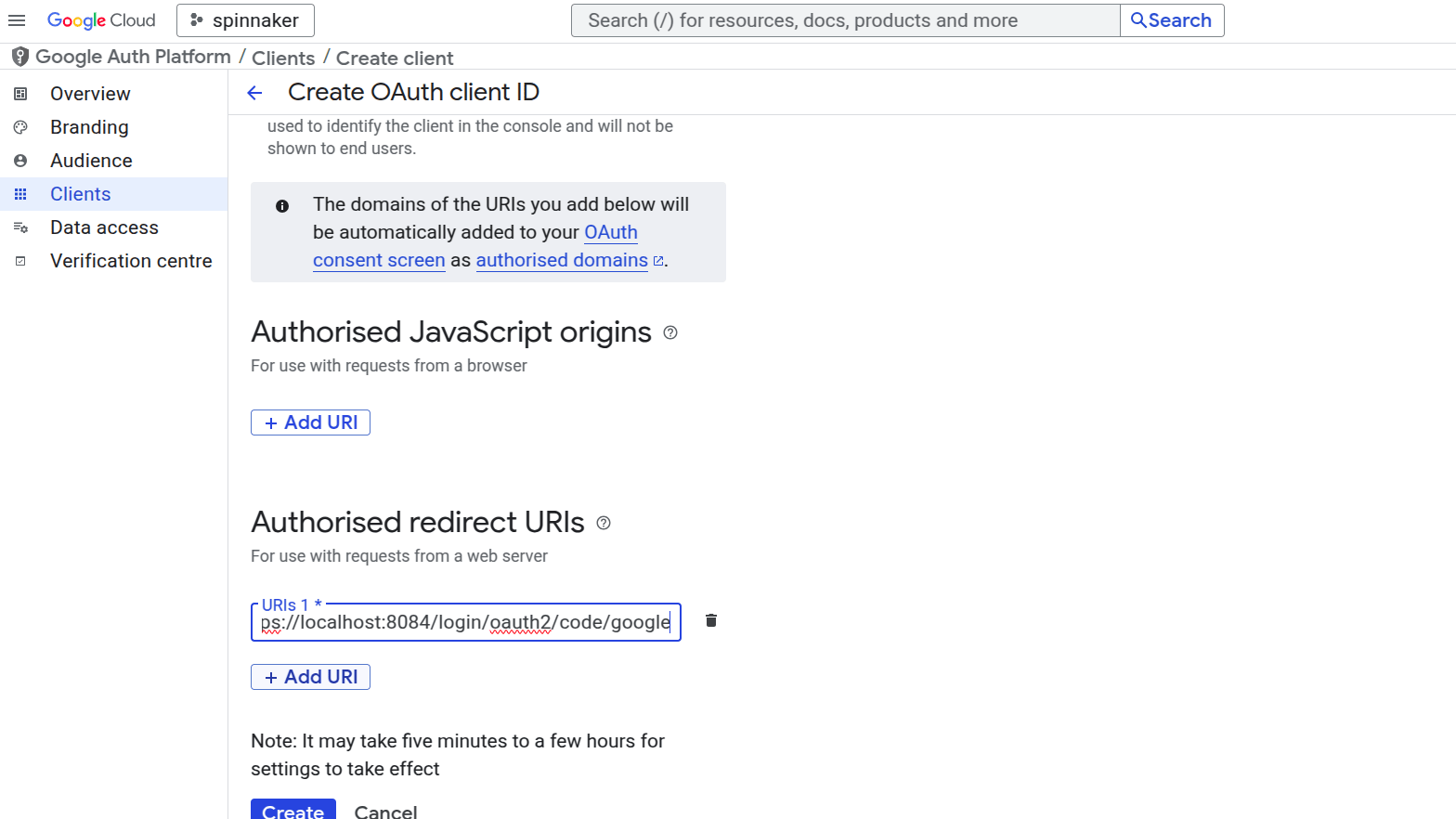
- Under “Authorized redirect URIs”, add
https://localhost:8084/login/oauth2/code/google(For Spinnaker below v2025.2.0, it should behttps://localhost:8084/login), replacing domain with your Gate address, if known, andhttpswithhttpif appropriate. Click Create. - Note the generated client ID and client secret. Copy these to a safe place.
Configure Gate
Spinnaker uses
spring properties as seen in their documentation
for configuring oauth2 today. Add the following properties to gate-local.yml
spring:
  security:
    oauth2:
      client:
        registration:
          userInfoMapping:
            email: email
            firstName: given_name
            lastName: family_name
          userInfoRequirements:
            hd: <domain>
          google:
            client-secret: <client-secret>
            scope: profile,email
            client-id: <client-id>
        provider:
          google:
            user-info-uri: https://www.googleapis.com/oauth2/v3/userinfo
            authorization-uri: https://accounts.google.com/o/oauth2/v2/auth
            token-uri: https://www.googleapis.com/oauth2/v4/token
Note that userInfoRequirements is a spinnaker specific extension to do validation on attributes from the user info. See
the main oauth docs
for more information.
For spinnaker versions before 2025.2.0
Though no longer supported, these would work on versions prior to 2025.2.0
security:
  authn:
    oauth2:
      enabled: true
      client:
        clientId: # client ID from above
        clientSecret: # client secret from above
        accessTokenUri: https://www.googleapis.com/oauth2/v4/token
        userAuthorizationUri: https://accounts.google.com/o/oauth2/v2/auth
        scope: profile,email # for Spinnaker below v2025.2.0, it should be "profile email" without double quotes
      resource:
        userInfoUri: https://www.googleapis.com/oauth2/v3/userinfo
      userInfoRequirements:
        # You almost certainly want to restrict access to your Spinnaker to
        # users whose account is from your hosted domain; without this any
        # user with a Google account will have access.
        hd: # hosted domain
      userInfoMapping:
        email: email
        firstName: given_name
        lastName: family_name
      provider: GOOGLE